Breaking-change detection
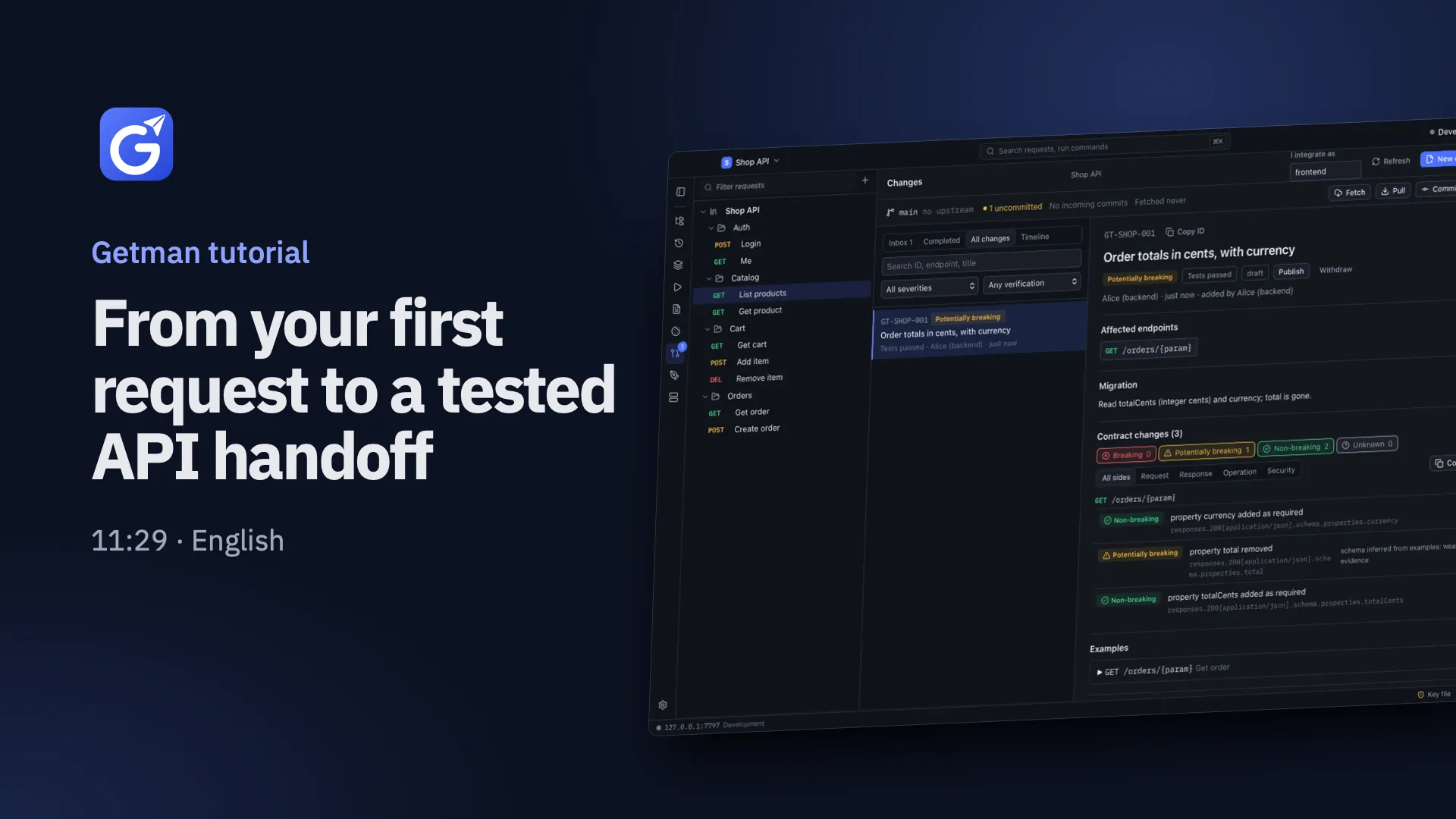
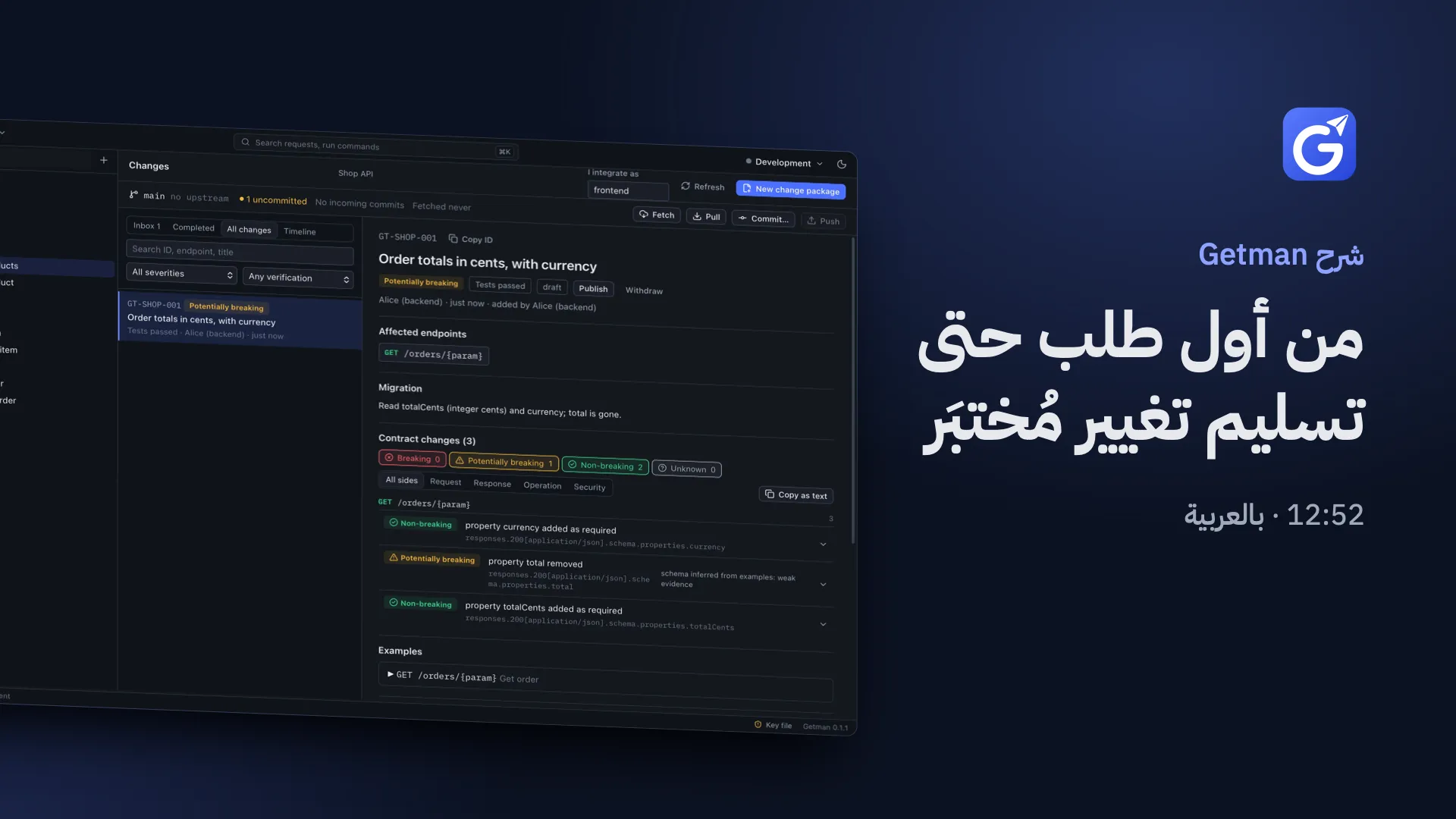
Contract comparison rates every change as breaking, potentially breaking, non-breaking or unknown, separately for requests and responses.

Getman is a desktop API client that runs entirely on your machine. Build and test requests, then hand every API change to your frontend team, and their coding agents, through the Git repository you already use.
Desktop app for macOS and Windows. No account, no subscription.

Requests, collections and environments live on your machine. Everything you need for daily API work is there from the first launch.
REST with JSON, form, multipart, XML, binary or GraphQL bodies, plus WebSocket and Server-Sent Events, from one request builder.

Bearer, Basic, API key, OAuth 2.0 with PKCE, cookies or custom headers on the project. Collections, folders and requests inherit it and can override it.


Local, development, staging and production, switched from the title bar. A request that can change data on a production server asks before it is sent.


Check status, response time, JSON fields, headers, array lengths or a JSON Schema. Extract values into variables for the next request.


Run folders or collections in order, carry extracted values from step to step, and see every check that passed or failed.


Pre-request and test scripts run in an isolated QuickJS sandbox with memory and time limits.
The getman command runs saved requests through the exact engine the app uses. A local MCP server gives coding agents the same reach, inside limits you set.
--read-only removes every write tool.$ getman run "Shop API" --workspace getman --env Local
Running Shop API · project Shop · env Local
✓ POST http://127.0.0.1:4321/auth/login 200 OK 654 ms 67 B
✓ Status is 200
✓ accessToken exists
✓ GET http://127.0.0.1:4321/products 200 OK 3 ms 111 B
✓ Status is 200
✓ $ length is at least 1
✓ GET http://127.0.0.1:4321/orders/o1 200 OK 10 ms 104 B
✓ Status is 200
✓ total exists
✓ Response time is under 1000 ms
3 requests: 3 passed · 0 failed · 0 errors · 0 skipped · 670 ms (exit 0)
{
  "mcpServers": {
    "getman": {
      "command": "getman",
      "args": ["mcp", "--workspace", "getman"]
    }
  }
}
$ export GETMAN_VAR_password=…
$ claude
# approve the project MCP server once, then run /mcp--read-only removes these
A change package travels with the code, through the Git repository your team already uses. Step through a real handoff.
In the Shop API, Alice renames total to totalCents and adds currency to GET /orders/{id}, then updates the saved request in Getman.
Getman compares the OpenAPI 3.1 contract with the previous one. The new fields are non-breaking. Removing total is rated potentially breaking, because that response schema was inferred from examples, which is weak evidence.
Changes → New change package. It records the endpoint, the contract diff, examples and the migration note “Read totalCents (integer cents) and currency; total is gone.” Its reference is GT-SHOP-001.
Verify now runs the affected requests against the running API. The result is recorded in the package. Nobody types in a pass.
Alice commits the code and the getman/ folder together and pushes. No Getman server is involved.
Bob clicks Fetch. Getman reads the incoming commits and lists the package before he pulls.
With I integrate as set to web, the package lands in Bob's Inbox with its severity and evidence.
Bob gives his coding agent the reference. Through MCP it calls list_changes and get_change and reads the diff and examples.
The agent updates the web client and its tests in Bob's repository, using the examples from the package.
report_integration runs the requests first. verified is accepted only with a passing run against the current contract. After a pull, Alice sees Integration verified.
Step 1 of 10
Everything here happens on two laptops and one Git remote. Getman has no cloud service.
Export an OpenAPI 3.1 contract from your requests, see exactly what changed between two versions, and serve examples locally before the backend is ready.
Contract comparison rates every change as breaking, potentially breaking, non-breaking or unknown, separately for requests and responses.
An outline, forms and raw JSON or YAML, with validation, import and export.

Serve saved examples or an OpenAPI file on 127.0.0.1, with status, headers, delay and a hit log.

Bring in HAR captures, Postman collections and environments, OpenAPI 3 or Swagger 2, or paste a cURL command.
Generate client code with inherited auth and headers included and secrets masked.

Getman has no account, no sync service and no telemetry. Team collaboration uses the Git hosting you already pay for, or don't.
getman.yamlproject auth and headers, without secretsenvironments/*.yamlvariable names, with secret values left blankcollections/**.yamlone file per requestcontracts/openapi.yamlthe current contractchanges/GT-…yamlchange packages with evidence and statusAgents get secrets from GETMAN_VAR_<KEY> in the shell that starts them, and never see them in tool output.
Security and privacyA narrated tour: install, everyday API work, what Getman keeps in Git, connecting a coding agent, and one real change from backend to frontend.
A desktop API client for macOS and Windows. You build, test and document requests like in Postman, and you hand API changes to other developers and their coding agents through Git, as change packages with real test evidence.
Getman has no price, no subscription and no account. You download it and use it.
No. There is no Getman account or server. Your data stays on your machine, and teams share through their own Git repository.
Yes. Getman needs a network only to reach the APIs you call and, if you use it, your Git remote.
Yes, that is how teams work together in Getman. Link the getman/ folder in your repository. Getman uses your installed Git with your SSH keys and credentials, and never commits, pushes or merges on its own.
No. Getman's MCP server runs locally and calls no AI service. Your coding agent (for example Claude Code) uses its own account; Getman only answers its tool calls.
Install the command-line tool from the app, commit a .mcp.json that runs getman mcp --workspace getman, export the secrets the requests need as GETMAN_VAR_<KEY>, and start claude at the repository root.
Yes. macOS gets a universal app for Apple silicon and Intel. The Windows installers are built by CI but haven't been tested on a real Windows machine yet.
Secret values are encrypted with AES-256-GCM, with the key in your system keychain. They are written to Git as blanks, never exported, masked on screen and scrubbed from CLI and MCP output.
Download the new version and install it over the old one. Getman doesn't update itself yet.
The everyday request work is similar. Getman is local-first: no account and no cloud workspace. It adds change packages, contract diffs, verification evidence and an MCP server, so API changes reach the frontend and its agents through Git. It imports Postman collections and environments, and OpenAPI files from any tool.
A YAML file in your repository that describes one API change: the affected endpoints, the contract diff and its severity, examples, migration notes, evidence from real test runs and each consumer's integration status. It has a reference like GT-SHOP-001 that people and agents can use.
Free to use, nothing to sign up for. Your requests stay on your machine.
Download GetmanDesktop app for macOS and Windows. No account, no subscription.